Editing the Main Menu dropdowns
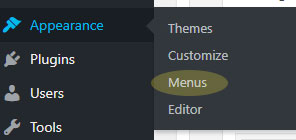
The dropdown menus of the main menus can be edited from Appearance > Menus
On the menus page, there is a menu to Select a menu to edit
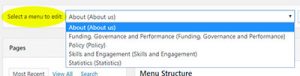
Select a menu from the dropdown, and click Select.
The left column will show all the sections of the site, and a page can be selected and
(Be sure to select the View All tab if the page you want is not in the Most Recent)
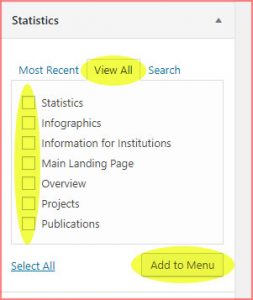
Select a page to add to the menu with its checkbox, and click Add to Menu.
Drag and drop to rearrange the menu order.
Drag a menu item to just another another and slightly to the right. This will add to / create a sub menu under the parent item, with all indented items underneath in a sub menu